---
title: "EHR Integration for Remote Monitoring: Benefits, Workflow & Setup"
description: Get practical tips on EHR integration for remote monitoring, from setup to best practices, and learn how to streamline workflows and improve patient care.
image: https://zleague-public-prod.s3.us-east-2.amazonaws.com/article_images/54b919ff-ba9d-43a7-9800-795718f733f0/your-guide-to-ehr-integration-for-remote-monitoring-700944.webp
---
[Skip to content](https://www.1bioshealth.com/blog/ehr-integration-remote-monitoring#main-content)
[](http://1bioshealth.com)
[](http://1bioshealth.com)
- [How It Works](https://www.1bioshealth.com/how-it-works)
- Solutions
- [Remote Patient Monitoring (RPM)](https://www.1bioshealth.com/solutions/remote-patient-monitoring-0)
- [Chronic Care Management (CCM)](https://www.1bioshealth.com/solutions/chronic-care-management-2)
- [Principal Care Management (PCM)](https://www.1bioshealth.com/solutions/principal-care-management)
- [Remote Therapeutic Monitoring (RTM)](https://www.1bioshealth.com/solutions/remote-therapeutic-monitoring-rtm)
- [Advanced Primary Care Management (APCM)](https://www.1bioshealth.com/solutions/advanced-primary-care-management-apcm)
- [Customers](https://www.1bioshealth.com/customers)
- [Pricing](https://www.1bioshealth.com/pricing)
- [Careers](https://jobs.ashbyhq.com/1bios)
- Resources
- [Refer a Practice](https://www.1bioshealth.com/customer-referrals)
- [RPM/RTM Devices](https://www.1bioshealth.com/rpm-devices)
- [About Us](https://www.1bioshealth.com/about)
- [Blog](https://www.1bioshealth.com/blog)
- Login
- [Consumer App](https://app.1bios.co/#/login)
- [Provider Portal](https://pro.1bios.co/login)
- [TALK TO OUR TEAM](https://www.1bioshealth.com/book-intro)
[TALK TO OUR TEAM](https://www.1bioshealth.com/book-intro)
This is a search field with an auto-suggest feature attached.
- There are no suggestions because the search field is empty.
# EHR Integration for Remote Monitoring: How It Works
Author: [Andy Scott](https://www.1bioshealth.com/blog/author/andy-scott)
Last updated: April 8, 2026
Tags: [Remote Patient Monitoring (RPM)](https://www.1bioshealth.com/blog/tag/remote-patient-monitoring-rpm), [Electronic Health Records (EHR)](https://www.1bioshealth.com/blog/tag/electronic-health-records-ehr)
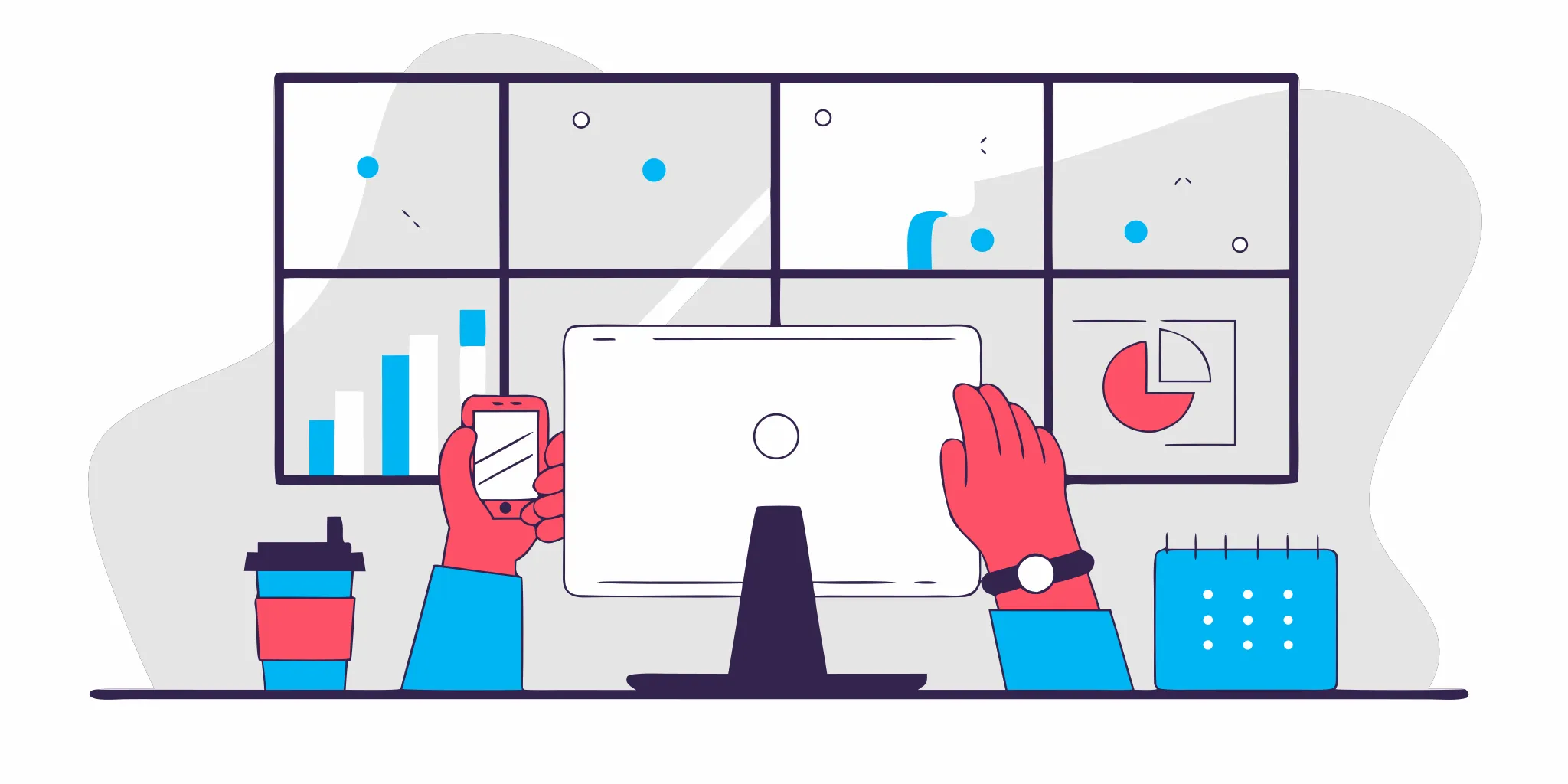
Managing a Remote Patient Monitoring (RPM) program can feel like you’re running two separate practices. Your team logs into one system to check patient readings and another to document everything in the EHR. This constant toggling between platforms isn't just inefficient; it’s a recipe for burnout and data entry errors. What if that entire process could happen automatically, with patient vitals flowing directly into their charts? That’s exactly what **EHR integration for remote monitoring** does. It builds a secure bridge between your systems, eliminating double data entry and creating a single, unified workflow. This guide will walk you through how this connection works and why it’s the key to running a successful, scalable, and stress-free virtual care program.
[BOOK A MEETING](https://www.1bioshealth.com/book-intro?hsCtaAttrib=185928149062#schedule-a-meeting)

### Key takeaways
- **Unify your workflow and save time**:[Integrating your EHR with remote monitoring](https://www.1bioshealth.com/blog/chronic-care-management-software) automates data entry and puts all patient information in one place. This allows your team to make faster, more informed decisions without toggling between different systems.
- **Select a partner who handles the heavy lifting**: A successful program depends on a partner who manages the technical details, from system compatibility to HIPAA security. Look for a full-service team that acts as an extension of your practice, not just a software vendor.
- [**Provide proactive care and improve outcomes**](https://www.1bioshealth.com/blog/the-missing-piece-in-remote-care-isnt-data.-its-people): Real-time data flowing directly into the EHR helps you spot issues before they become emergencies. This allows you to personalize treatment plans, reduce hospital visits, and help patients manage their chronic conditions more effectively at home.
## What is EHR integration for remote monitoring?
EHR integration for remote monitoring is essentially a secure, digital bridge connecting your patients' health data directly to their electronic health records. Think of it this way: instead of your staff manually typing a patient's blood pressure readings from a log into the EHR, the data flows automatically from the monitoring device right into the patient's chart. This direct connection eliminates the tedious and error-prone task of manual data entry, freeing up your team to focus on patient care.
This seamless flow of information is what makes a[Remote Patient Monitoring (RPM)](https://www.1bioshealth.com/solutions/remote-patient-monitoring-0) program truly effective. It ensures that you have the most current health data at your fingertips, which is critical for managing chronic conditions. By automating this process, you not only streamline your practice's workflow but also create a more reliable and real-time view of your patients' health between office visits.
### How does the integration process work?
The process is designed to be simple and operate quietly in the background. When a patient uses their monitoring device, like a blood pressure cuff or a glucometer, the reading is instantly sent to the RPM platform. From there, the platform securely transmits that data directly into the corresponding patient's file in your EHR. This all happens in near real-time without anyone on your team needing to lift a finger. It completely removes the risk of transcription errors and the time spent on double data entry, allowing your clinical staff to see vital health changes as they happen and intervene quickly when needed.
### What are the key components of an integrated system?
An integrated system has a few core parts working together. First are the patient-facing devices, like blood pressure monitors or scales. These devices send data to a central RPM platform, which acts as the hub for collecting and organizing all the incoming information. The final piece is your practice's EHR system, such as Epic, Cerner, or Athenahealth. The magic that connects the RPM platform and your EHR is a set of rules and protocols called an API. Modern systems use standards like FHIR to ensure that different software can communicate securely and effectively, making the data sharing process smooth and standardized across platforms.
> Connecting your[RPM](https://www.1bioshealth.com/solutions/remote-patient-monitoring-0) platform to your Electronic Health Record (EHR) system is more than just a technical upgrade. It’s a strategic move that transforms how your practice delivers care. When these two systems talk to each other, they create a single, reliable source of patient information.
## Why should you integrate your EHR with RPM?
Connecting your[RPM](https://www.1bioshealth.com/solutions/remote-patient-monitoring-0) platform to your Electronic Health Record (EHR) system is more than just a technical upgrade. It’s a strategic move that transforms how your practice delivers care. When these two systems talk to each other, they create a single, reliable source of patient information. This eliminates the need to jump between different software, copy and paste data, or worry about information getting lost in translation. The result is a more streamlined, efficient, and connected practice.
An integrated system automates the flow of vital patient data, from daily blood pressure readings to glucose levels, directly into the patient’s chart. This gives your clinical team a complete, real-time view of their patients' health without adding to their administrative workload. By breaking down data silos, you empower your staff to make faster, more informed decisions, which leads to better patient outcomes. Ultimately, integration helps you build a more proactive and responsive care model, improve patient engagement, and create a sustainable new revenue stream for your practice. It’s about working smarter, not harder, to provide the best possible care for your patients with chronic conditions.
### Simplify workflows and reduce admin time
One of the most immediate benefits of EHR integration is the time it gives back to your staff. Manually entering patient data from an RPM platform into your EHR is not only tedious but also opens the door to errors. An integrated system automates this entire process. The connection works both ways: it pulls relevant patient demographics from your EHR to enroll them in a monitoring program and pushes their daily health data back into their chart.
This two-way sync means your team no longer has to perform double data entry, which significantly reduces the administrative burden. Instead of spending hours on clerical tasks, your staff can focus on what truly matters: patient care. This efficiency gain helps prevent burnout and allows your practice to manage an RPM program at scale without overwhelming your team.
### Make better clinical decisions with real-time data
When RPM data flows directly into your EHR, it provides your clinicians with an up-to-the-minute view of a patient's health status. You can see trends, spot red flags, and receive alerts for critical readings right within your existing workflow. This allows your team to intervene quickly, often before a minor issue becomes a serious health event. Instead of relying on data from the last office visit, you can make clinical decisions based on a continuous stream of information.
This real-time access is crucial for managing chronic conditions effectively. Having a complete, unified patient record that combines in-office data with at-home readings leads to more accurate diagnoses and personalized treatment plans. This level of EHR interoperability is key to improving the quality of care, reducing hospitalizations, and helping your patients stay healthier at home.
### Improve patient engagement and health outcomes
An integrated system doesn't just benefit your staff; it creates a better experience for your patients, too. When patients know their daily health readings are being sent directly to their trusted care team, they feel more connected and supported. This seamless flow of information helps them take a more active role in managing their own health. They can see their progress, understand their treatment plans, and communicate with your team through a unified platform.
This increased engagement is a powerful driver of positive health outcomes. Patients who are actively involved in their care are more likely to adhere to their treatment plans and make healthier lifestyle choices. By making it easy for them to participate in programs like RPM and[Chronic Care Management (CCM)](https://www.1bioshealth.com/solutions/chronic-care-management-2), you empower them to become true partners in their health journey, leading to better long-term results.
### Increase revenue and operate more efficiently
Integrating your EHR with your RPM program is also a smart financial decision. A streamlined system makes it much easier to manage the administrative requirements for billing, ensuring you can capture all eligible revenue. With automated data collection and documentation, your practice can confidently bill for RPM and CCM services without adding significant overhead. This creates a predictable, recurring revenue stream that strengthens your practice's financial stability.
For example, many practices can earn substantial monthly revenue per enrolled patient just by using RPM codes. An integrated solution with smart billing tools and expert support ensures you meet all compliance requirements and get reimbursed fully for the care you provide. By making your virtual care programs more efficient, you can scale them effectively, serve more patients, and improve both clinical outcomes and your bottom line.
## What challenges can small practices expect with EHR integration?
Integrating your[RPM](https://www.1bioshealth.com/blog/how-private-practices-use-rpm-and-ccm-to-improve-care-and-revenue) program with your EHR is a game-changer, but let's be real: it’s not always a simple plug-and-play process. For smaller practices, the path to a fully integrated system can have a few bumps. Knowing what to expect can help you prepare and find the right support to make the transition smooth for your team and your patients.
The main hurdles usually fall into four categories: technology, data, people, and compliance. You might not have a dedicated IT team on standby, your existing systems might not want to cooperate, and your staff already has a full plate. Plus, you have to keep everything secure and compliant. These challenges aren't meant to discourage you. Instead, think of them as a checklist of things to address. With the right plan and the right partner, you can manage these issues effectively and get to the good part: a streamlined workflow and better patient care. Let’s walk through each of these potential challenges so you know exactly what to look for.
### Dealing with limited tech resources and IT support
If you’re like most small practices, you don’t have an in-house IT department. Your practice manager probably wears the IT hat, along with ten others. This can make a technical project like an EHR integration feel overwhelming. When you’re trying to connect different systems that weren’t necessarily designed to work together, technical glitches are bound to happen. Without dedicated tech support, troubleshooting can pull your team away from patient care. The key is to find an RPM partner who handles the technical heavy lifting for you, offering the support you need so you’re never left trying to solve a complex software issue on your own.
### Overcoming data and interoperability issues
In a perfect world, all health tech systems would speak the same language. In reality, your RPM devices and EHR often use different data formats, making it difficult for them to communicate. This lack of interoperability can lead to frustrating data silos, manual data entry, and potential errors in patient records. The whole point of integration is to create a seamless flow of information. When systems can’t “talk” to each other, you lose the efficiency you were hoping to gain. A successful integration depends on solving this data-sharing puzzle, ensuring that vital patient readings from RPM devices appear in the EHR accurately and automatically.
### Managing staff training and workflow changes
Introducing any new technology requires your team to adapt, and that change can be disruptive if not managed well. Doctors and nurses already spend a significant amount of time on EHR-related tasks, and a poorly planned integration can add to that burden, leading to frustration and burnout. To avoid this, it’s crucial to involve your clinical staff from the very beginning. Ask them how they want to see and use RPM data within the EHR. This ensures the new workflow is intuitive and genuinely helpful. Proper training isn't just a one-time webinar; it's an ongoing process of support to help your team feel confident with the new system.
### Staying on top of security and compliance
Protecting patient health information is non-negotiable, and integrating new software with your EHR introduces new security considerations. You have to ensure the connection between your RPM platform and your EHR is completely secure to prevent data breaches and maintain HIPAA compliance. For a small practice, a compliance failure can be devastating. This is why it’s so important to work with a partner who prioritizes security and understands the complexities of healthcare regulations. They can help ensure your integrated system is not only efficient but also fully audit-ready, giving you peace of mind.
> BLOG: [How to Evaluate RPM Platforms for Small Practices: What to Look For](https://www.1bioshealth.com/blog/rpm-platform-small-practices)
## How EHR integration changes your day-to-day workflow
Integrating your remote monitoring program with your EHR isn't just a technical upgrade; it’s a fundamental shift in how your practice operates. Instead of managing two separate systems, toggling between screens, and manually transferring data, your team gets a single, unified workflow. Patient readings, alerts, and communication logs appear right where you expect them: inside the patient’s chart. This turns your[RPM](https://www.1bioshealth.com/solutions/remote-patient-monitoring-0) program from a separate, add-on service into a seamless extension of the care you already provide. It streamlines daily tasks, reduces the chance of human error, and gives your clinical staff more time to focus on what truly matters: caring for your patients. Let’s look at exactly how this integration transforms your team’s daily routine.
### Automate data entry and documentation
One of the biggest time-sinks for any practice is manual data entry. An integrated system tackles this head-on by creating a two-way street for information. It automatically pulls patient demographic data from your EHR to enroll them in a monitoring program, so you don't have to type it all in again. Then, it pushes patient readings, like blood pressure or glucose levels, directly back into their chart. This eliminates the tedious and error-prone task of double entry, which not only saves countless hours but also ensures your patient records are always accurate and up-to-date for compliance and billing.
### Get real-time alerts for proactive care
With a direct EHR connection, critical patient data doesn't get stuck in a separate portal. When a patient’s reading falls outside their target range, an alert can appear directly within their EHR chart. This allows your clinical team to see important health changes the moment they happen and act quickly. For example, a nurse managing patients with hypertension can immediately see an alert for a high blood pressure reading and follow up with the patient that day. This shift from reactive to proactive care helps you intervene before a minor issue becomes a health emergency, potentially preventing a trip to the hospital.
### Access all patient info in one place
An integrated system creates a single source of truth for every patient. All their health data, from in-office visit notes and lab results to daily remote readings, lives together in one consolidated chart. Your clinicians no longer have to log into a separate platform to check on a patient’s monitoring data. Instead, they get a complete, holistic view of the patient's health journey at a glance. This comprehensive picture makes it easier to spot trends, make more informed clinical decisions, and provide more effective[CCM](https://www.1bioshealth.com/solutions/chronic-care-management-2) for patients with complex conditions.
### Improve care coordination across your team
When everyone on your team works from the same up-to-date patient record, care coordination becomes much simpler. Physicians, nurses, and medical assistants are all on the same page, viewing the same real-time data and care plans. This shared visibility makes handoffs smoother and communication clearer, ensuring every patient receives consistent, well-coordinated care. It breaks down information silos and fosters a more collaborative environment, which ultimately leads to better patient experiences and improved health outcomes. Your team can work together more efficiently, confident that they have the most current information at their fingertips.
## The tech checklist for a smooth integration
When you hear "EHR integration," it’s easy to picture a complex technical project. While your integration partner will handle the heavy lifting, understanding the key components helps you ask the right questions and choose a solution that truly works for your practice. A smooth integration isn't just about connecting two systems; it's about creating a reliable, secure, and efficient bridge for patient data. This bridge is what transforms an RPM program from a separate task into a seamless part of your daily workflow.
Think of this checklist as your guide to vetting a potential partner. You don’t need to be an IT expert, but knowing what to look for ensures your practice is set up for success from day one. A solid technical foundation prevents future headaches, protects patient data, and allows your team to focus on what matters most: providing excellent care. Let's walk through the four critical areas you'll want to cover with any potential RPM provider.
### ✓ Ensuring API compatibility and FHIR standards
Think of an API (Application Programming Interface) as a translator that allows your EHR and an RPM platform to speak to each other. For this conversation to be effective, they need to use a shared language. That’s where FHIR (Fast Healthcare Interoperability Resources) comes in. FHIR is the modern, universal standard for exchanging healthcare information electronically. An RPM partner that uses FHIR standards ensures that data like patient vitals and alerts are sent and received correctly. This prevents data from getting lost in translation and makes the entire integration process more efficient and reliable.
### ✓ Checking device compatibility and data mapping
Your RPM program will likely use devices from different manufacturers, and each one might format data slightly differently. A capable integration partner needs to manage this. First, their platform must be compatible with a wide range of FDA-approved devices. Second, they need a clear process for data mapping. This means ensuring a blood pressure reading from a patient’s device lands in the correct blood pressure field in your EHR, not somewhere else. Without proper mapping, you risk cluttered records and clinical errors, defeating the purpose of having real-time data in the first place.
### ✓ Meeting HIPAA security and privacy rules
Protecting patient health information is non-negotiable. As data moves between the RPM platform and your EHR, it must be encrypted and secured every step of the way. Your integration partner must demonstrate strict adherence to HIPAA security and privacy rules to safeguard against breaches. Ask potential partners about their security protocols, data encryption methods, and how they manage user access. A trustworthy partner will be transparent about their compliance measures and have a proven track record of keeping patient data safe, giving you and your patients complete peace of mind.
### ✓ Planning for scalability and performance
The integration solution you choose today should be able to support your practice as it grows. This is called scalability. Your system needs to handle data from 100 patients just as smoothly as it does for 10. If the integration slows down or becomes unreliable as you add more patients, it will create frustration and disrupt your workflows. Discuss your growth plans with any potential partner and ask how their system is designed to scale. A successful RPM integration is a smart investment in your practice's future, making it a truly valuable tool for your care team.
## Best practices for a successful EHR integration
An EHR integration project can feel like a huge undertaking, but it doesn’t have to be a headache. The key to a smooth transition isn’t just about the technology itself; it’s about your people and your plan. When you focus on clear communication and thoughtful implementation, you set your practice up for success from the very beginning. By following a few straightforward best practices, you can make sure your new, integrated system actually makes life easier for your staff and improves care for your patients. It all comes down to involving your team early, testing everything before you go live, prioritizing training, and setting clear rules for everyone to follow.
### Involve your clinical staff from day one
The success of your EHR integration hinges on the people who will use it every single day. Your doctors, nurses, and medical assistants know their workflows inside and out. Bringing them into the conversation early is the best way to ensure the final system is a help, not a hindrance. Ask them where and how they want to see[RPM](https://www.1bioshealth.com/solutions/remote-patient-monitoring-0) data within the patient chart. Their input will help you configure the EHR in a way that provides actionable insights without creating extra clicks or clutter. When your clinical team helps design the solution, they become champions for the change, leading to a much smoother adoption across the practice.
### Test thoroughly with a phased rollout
Before you flip the switch for your entire practice, it’s crucial to test the integration in a controlled setting. Most integration partners provide a "sandbox," which is a safe practice environment where you can experiment without touching real patient data. Use this space to run through common scenarios and make sure data flows correctly between your RPM platform and your EHR. Once you’re confident, you can move to a phased rollout, perhaps starting with a single provider or a small group of patients. This approach allows you to identify and fix any unexpected issues on a small scale, preventing major disruptions to your daily operations and ensuring a seamless experience for everyone.
### Prioritize staff training and workflow planning
A new system is only as good as the team using it. Comprehensive training is essential for making sure everyone feels confident and prepared. This goes beyond a single lunch-and-learn session. Plan for dedicated training time that covers not just the technical "how-tos" but also how the integration changes daily workflows. Your staff needs to understand how to view incoming data, respond to alerts, and document their work. Don’t forget about your patients, either. They need clear instructions on how to use their monitoring devices. A good partner can help create patient-friendly educational materials and support your team through the learning curve.
### Establish clear data and quality rules
With new streams of patient data coming into your EHR, you need clear rules to govern how that information is managed. This is fundamental to maintaining security and compliance. Work with your team to establish protocols for data governance, outlining who has access to RPM data and what the standard procedure is for reviewing it. For example, who is responsible for responding to a high blood pressure alert after hours? Having these rules clearly defined ensures that patient data is handled consistently and securely, keeping you in line with HIPAA regulations and ready for any potential audit. It creates a framework that protects both your patients and your practice.
> This isn’t just about buying software; it’s about finding a true partner who understands the unique needs of your practice and can make the entire process feel effortless. A great partner handles the technical complexities so you can focus on what you do best: caring for your patients.
## How to choose the right EHR integration partner
Choosing an EHR integration partner is one of the most important decisions you’ll make when launching a remote monitoring program. This isn’t just about buying software; it’s about finding a true partner who understands the unique needs of your practice and can make the entire process feel effortless. A great partner handles the technical complexities so you can focus on what you do best: caring for your patients. They should feel like an extension of your own team, providing the expertise and support you need to succeed from day one.
### Step 1: Evaluate system compatibility and vendor expertise
Before you commit to a partner, you need to be sure their system plays well with yours. Every EHR is different, and a one-size-fits-all approach rarely works. Ask potential partners which EHR systems they have experience with and if they can provide case studies from practices similar to yours. Look for a team that specializes in virtual care programs like[RPM](https://www.1bioshealth.com/solutions/remote-patient-monitoring-0). A general IT firm won’t understand the clinical workflows or compliance requirements. Your ideal partner should have a deep understanding of both the technology and the healthcare landscape to ensure a smooth and effective integration.
### Step 2: Clarify implementation costs and timelines
Get a clear picture of the financial and time commitment right from the start. Ask for a detailed breakdown of all costs, including implementation fees, monthly charges, and any potential hidden expenses. A transparent partner will be upfront about the total investment. Just as important is the timeline. How long will it take to get your program running? A turnkey partner can often get you started quickly, helping you generate new revenue sooner. The right solution should simplify your operations and offer a clear path to profitability without bogging your team down in a lengthy setup process.
### Step 3: Ask about ongoing support and maintenance
A successful integration doesn’t end when the system goes live. Your practice will need ongoing support to manage the program effectively. Ask potential partners what their support model looks like. Do they offer a dedicated, U.S.-based care team to handle patient check-ins, monitoring, and escalations? Who do you call if something goes wrong? The best partners manage everything behind the scenes, from device logistics to clinical monitoring and billing support. This level of service is essential for practices that want to offer[CCM](https://www.1bioshealth.com/solutions/chronic-care-management-2) without adding to their staff’s workload.
### Step 4: Plan for your practice's future growth
Your practice isn’t static, and your remote monitoring program shouldn’t be either. Choose a partner whose technology and service model can scale with you. As you enroll more patients, the system should handle the increased data flow seamlessly without slowing down your workflow. Think about your long-term goals. Do you plan to expand into other virtual care services, like Transitional Care Management? A forward-thinking partner will offer a platform that can grow with your needs, ensuring your investment continues to pay off for years to come.
## Staying compliant: What you need to know
Integrating your EHR with a remote monitoring system is a huge step forward for your practice, but it also introduces new compliance responsibilities. When you’re dealing with patient data, billing codes, and reimbursement rules, you have to get it right. The good news is that with the right partner and processes, you can manage these requirements without adding a ton of work for your team. Let’s walk through the key areas you need to focus on to keep your practice protected and profitable.
### HIPAA security and documentation rules
Protecting patient health information is non-negotiable. When you connect an RPM platform to your EHR, you're creating a new pathway for data to travel, and you must ensure it’s secure every step of the way. Your top priority should be confirming that any technology partner you work with is fully HIPAA-compliant. This means they have safeguards in place to protect patient data both when it’s stored and when it’s being transmitted. A reliable[RPM](https://www.1bioshealth.com/solutions/remote-patient-monitoring-0) system will automatically track care interactions with built-in, HIPAA-compliant security, giving you and your patients peace of mind.
### Audit standards and billing compliance
Proper documentation is your best defense against claim denials and audits. Every remote interaction, reading, and communication must be logged correctly to justify the services you bill for. An integrated EHR and RPM system helps by centralizing this information, creating a single, unified patient record. This makes it much easier to maintain audit-ready documentation that’s always accessible when you need it. Look for a partner that provides smart billing tools and expert support to ensure every activity is captured accurately, helping you secure full reimbursement and stay prepared for any compliance checks.
### RPM reimbursement rules and guidelines
The rules for getting paid for virtual care services like[CCM](https://www.1bioshealth.com/solutions/chronic-care-management-2) can feel complicated. Each CPT code has specific requirements, from the number of monitoring days per month to the minutes spent on patient communication. Keeping up with these changing guidelines can be a full-time job in itself. This is why many successful practices choose to work with a full-service partner who manages the entire process. From patient enrollment and device logistics to clinical monitoring and billing, having an expert team handle the details ensures you meet all the requirements for reimbursement without overwhelming your staff.
> BLOG: [2026 RPM, CCM, RTM, PCM, Payment Rates](https://www.1bioshealth.com/blog/2026-rpm-ccm-rtm-pcm-payment-rates-what-changed-cpt-code-table)
## The end result: Better patient care
While simplifying your workflow and increasing revenue are significant benefits, the most important outcome of integrating your EHR with a remote monitoring program is the profound impact it has on your patients. This technology bridges the gap between office visits, giving you a continuous, real-time view of your patients' health. Instead of relying on data from appointments that happen weeks or months apart, you get a steady stream of information that paints a much clearer picture.
This shift allows you to move from a reactive care model to a proactive one. You can spot potential issues before they become emergencies and make informed decisions based on up-to-the-minute data. An integrated system turns patient data into actionable insights, helping you deliver more personalized, effective, and timely care. Ultimately, it empowers you to help your patients manage their chronic conditions more successfully, keeping them healthier and safer at home. This is where the true value of integration lies: in creating better health outcomes and strengthening the provider-patient relationship.
### Personalize treatment for chronic conditions
When remote monitoring data flows directly into a patient’s EHR, you can see important health changes almost as they happen. A sudden spike in blood pressure or a concerning glucose reading is no longer hidden until the next appointment. This immediate insight allows you to act quickly, adjusting medications or care plans on the fly. This level of responsiveness is key for effective[CCM](https://www.1bioshealth.com/solutions/chronic-care-management-2). Instead of creating a treatment plan based on a single snapshot in time, you can fine-tune it based on daily, real-world data, making care truly personalized to each patient’s needs and preventing potential health emergencies before they start.
### Track and report on health outcomes more easily
An integrated system doesn't just show you raw data; it helps you see the story behind it. Automated summary reports can be generated and uploaded to your EHR, giving you a clear overview of patient and clinical activities. This makes it incredibly simple to track progress over time and report on health outcomes. You can easily see if a new treatment is working or if a patient's condition is stabilizing. Over time, this collected data from your[RPM](https://www.1bioshealth.com/solutions/remote-patient-monitoring-0) program can also help you identify broader health trends and risks across your entire patient population, contributing to better community health overall.
### Reduce hospital readmissions and ER visits
One of the most powerful benefits of an integrated RPM system is its ability to keep patients out of the hospital. Real-time data alerts notify your team about concerning readings, allowing for early intervention long before a problem escalates into a crisis. A quick telehealth call or a medication adjustment can often prevent a costly and stressful ER visit or hospital readmission. This proactive approach is especially critical during the delicate period after a hospital discharge, making it a cornerstone of effective Transitional Care Management. By catching issues early, you improve your patients' quality of life and contribute to a more efficient and sustainable healthcare system.
### Related articles
- [5 Easy Steps to Get Started with Remote Patient Monitoring](https://www.1bioshealth.com/blog/5-easy-steps-to-get-started-with-remote-patient-monitoring)
- [Remote Patient Monitoring: 5 Ways RPM Is Transforming Care](https://www.1bioshealth.com/blog/remote-patient-care-technologies)
- [Wearable RPM devices: How They Work and the Top Options](https://www.1bioshealth.com/blog/wearable-remote-patient-monitoring)
- [RPM Software: The Ultimate Guide](https://www.1bioshealth.com/blog/remote-patient-monitoring-software)
- [Top 8 Remote Patient Monitoring Companies Compared](https://www.1bioshealth.com/blog/remote-patient-monitoring-companies)
[BOOK A MEETING](https://www.1bioshealth.com/book-intro?hsCtaAttrib=185928149062#schedule-a-meeting)
## Frequently asked questions
### **My practice is small and has no dedicated IT team. Is EHR integration still possible for us?**
Absolutely. This is a common concern, and it’s exactly why choosing the right partner is so important. You don’t need an in-house IT department because a full-service remote monitoring partner handles all the technical work for you. Their team manages the entire integration process, from connecting the systems to troubleshooting any issues that arise. Your role is to focus on clinical decisions, not software problems.
### **Will this integration create more work or alert fatigue for my clinical staff?**
It’s a valid question, but a well-designed integration should do the opposite. The goal is to reduce your team's workload, not add to it. A good partner provides a clinical monitoring team that acts as a first line of defense, reviewing incoming patient data and filtering out the noise. This means your staff only receives alerts for readings that truly require their attention, allowing them to intervene effectively without being overwhelmed by constant notifications.
### **How does integration specifically help with**[**billing for RPM and CCM services**](https://www.1bioshealth.com/blog/how-private-practices-use-rpm-and-ccm-to-improve-care-and-revenue)**?**
Integration simplifies billing by creating a clear, automated record of your work. When patient readings and communication logs flow directly into the EHR, it automatically generates the documentation needed to support your claims. This creates a consistent, audit-ready trail that proves you’ve met the specific time and data requirements for each billing code, making it much easier to get reimbursed correctly and on time.
### **What's the difference between a basic RPM platform and a fully integrated, managed solution?**
A basic platform is essentially just a piece of software. It gives you the tool to collect data, but your team is still responsible for everything else: enrolling patients, managing devices, monitoring readings, and handling the billing. A fully integrated, managed solution is a true partnership. It combines the software with a dedicated care team that handles all of those operational tasks for you, turning a complex program into a simple, turnkey service for your practice.
### **How long does the integration process typically take from start to finish?**
The timeline can vary depending on your specific EHR system, but it’s often much faster than practices expect. A partner with deep experience in EHR integrations has a streamlined process that minimizes disruptions to your workflow. In many cases, a practice can be fully integrated and ready to enroll patients in just a matter of weeks, not months.
[Andy Scott](https://www.1bioshealth.com/blog/author/andy-scott)
Andy Scott is the founder and CEO of 1bios, where technology, data, and care delivery come together to help patients and providers succeed. Over the past decade, he has built 1bios into a leading remote patient monitoring and virtual care management platform trusted by thousands of providers and hundreds of thousands of patients. His work helps healthcare organizations thrive while empowering patients to live healthier, more connected lives.
##### Share this article
[Talk to our Team](https://www.1bioshealth.com/book-intro)
##### Table of Contents
### Related Articles:
#### [ 5 Ways Practices Grow Revenue With RPM & CCM Without Adding Overhead or Risk](https://www.1bioshealth.com/blog/5-ways-to-grow-revenue-via-rpm-ccm-without-adding-overhead-or-risk)
#### [ 7 Ways 1bios Strengthens Cardiology Care With RPM, CCM, and PCM](https://www.1bioshealth.com/blog/how-1bios-improves-cardiology-outcomes-with-rpm-ccm-and-pcm)
#### [ 6 Ways Primary Care Practices Win With RPM & CCM](https://www.1bioshealth.com/blog/how-rpm-and-ccm-strengthen-primary-care-practices)
#### Main Navigation
- [Home](https://www.1bioshealth.com)
- [How It Works](https://www.1bioshealth.com/how-it-works)
- [About Us](https://www.1bioshealth.com/about)
- [Customers](https://www.1bioshealth.com/customers)
- [Pricing](https://www.1bioshealth.com/pricing)
- [Terms & Privacy](https://www.1bioshealth.com/terms-and-privacy)
#### Our Solutions
- [RPM](https://www.1bioshealth.com/solutions/remote-patient-monitoring-0)
- [CCM](https://www.1bioshealth.com/solutions/chronic-care-management-2)
- [PCM](https://www.1bioshealth.com/solutions/principal-care-management)
- [RTM](https://www.1bioshealth.com/solutions/remote-therapeutic-monitoring-rtm)
- [APCM](https://www.1bioshealth.com/solutions/advanced-primary-care-management-apcm)
#### Popular Posts
- [Payment Rates](https://www.1bioshealth.com/blog/2025-payment-rates-for-remote-patient-monitoring-chronic-care-management-and-more)
- [RPM Benefits](https://www.1bioshealth.com/blog/how-remote-patient-monitoring-can-reduce-healthcare-costs-for-everyone)
- [New RPM Tech](https://www.1bioshealth.com/blog/5-ways-new-technologies-are-making-remote-patient-monitoring-easy)
#### Contact Us
- [Sales](https://www.1bioshealth.com/book-intro)
- [Support](mailto:hello@1bios.co?subject=1bios%20Support)
#### Login
- [Consumer App](https://app.1bios.co/#/login)
- [Portal](https://pro.1bios.co/login)
Copyright 2014 - 2026 1bios, Inc.
Contact Sales: 800-676-6532
%20copy.png?width=140&height=36&name=aptible-badge-white-bae3c1db342abda26b80f744a3b4c0d1%20(1)%20copy.png)
```json
{
"@context" : "https://schema.org",
"@type" : "BlogPosting",
"dateModified" : "2024-10-01",
"datePublished" : "2024-10-01",
"headline" : "EHR Integration for Remote Monitoring: How It Works",
"image" : [ "https://zleague-public-prod.s3.us-east-2.amazonaws.com/article_images/54b919ff-ba9d-43a7-9800-795718f733f0/your-guide-to-ehr-integration-for-remote-monitoring-700944.webp" ],
"mainEntityOfPage" : {
"@id" : "https://www.1bioshealth.com/blog/ehr-integration-remote-monitoring",
"@type" : "WebPage"
}
}
```